
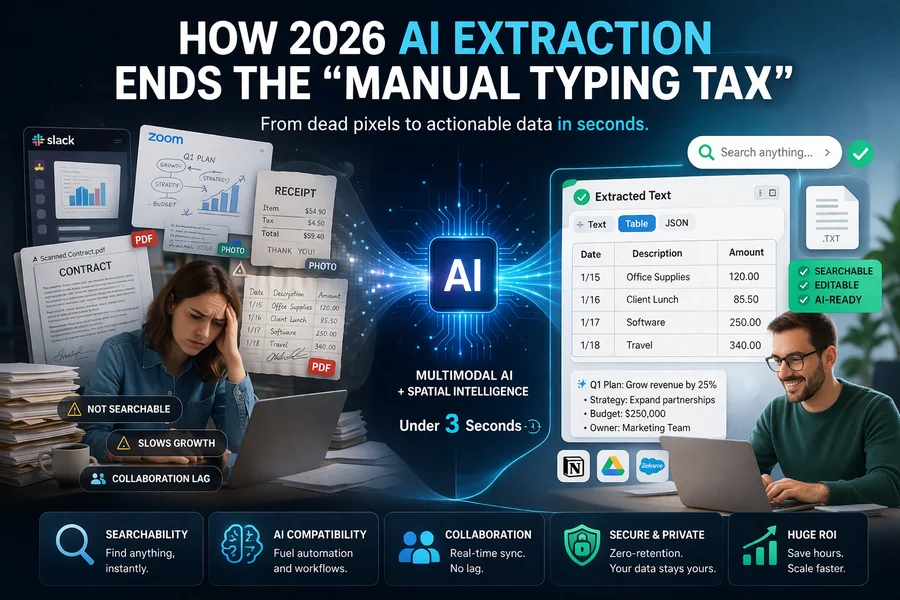
Modern teams work faster than ever, but they are also dealing with a massive influx of what I call “Dead Data.” This is the information trapped in Slack screenshots, Zoom whiteboard captures, scanned legacy PDFs, and mobile photos of receipts. It’s information that looks great to the human eye but is effectively invisible to the computers and tools we use to manage our businesses.
While sharing an image is a quick fix at the moment, it creates a massive downstream productivity drain. Recent industry surveys in early 2026 suggest that knowledge workers lose an average of 9 hours per week simply transferring data between formats. For a growing business, this “Manual Typing Tax” is a silent barrier to scaling. It’s not just about the minutes spent typing; it’s about the momentum lost when a team has to stop their creative flow to do data entry.
The Invisible Thief: Context Switching and Mental Fatigue
One of the biggest hidden costs of image-heavy workflows isn’t just time, it’s cognitive load. When an employee has to look at a screenshot of a spreadsheet and manually type those numbers into a new document, they are forced into “context switching.”
Studies show it can take up to 23 minutes for a person to fully get back into a state of “deep work” after being interrupted by a mindless task. By forcing your team to retype data from images, you aren’t just wasting 10 minutes of their time; you are potentially wasting 30 minutes of their high-level focus. In a world where mental energy is a finite resource, using AI to bridge the gap between pixels and text is a strategic necessity.
The Hidden Cost: Why Images Slow Your Growth
Relying on image-based information creates a bottleneck in three critical areas of your business workflow:
1. The Searchability Gap
Unlike text-based documents, images are invisible to your internal search tools. When a critical instruction is trapped inside a .png file, it becomes “dark data.” Your team wastes valuable time manually hunting through chat histories or scrolling through cloud storage to find a specific piece of information they know they saw but can’t find. If your search bar can’t find it, it effectively doesn’t exist.
2. Data Fragmentation and AI Compatibility
Modern workflows increasingly rely on AI agents and automated CRMs to handle repetitive tasks. However, these systems are built on text. If your data is locked in an image, your automated tools can’t process it, summarize it, or act on it. This forces teams back into manual entry, which carries a dangerous error rate of 1% to 4%. In finance or legal departments, those small errors can lead to massive compliance headaches.
3. Collaboration Lag in Remote Work
In remote or hybrid setups, speed is the primary currency. If a teammate shares a photo of a whiteboard session from a physical office, the collaboration for the remote participants stops until someone transcribes those notes. This “lag time” prevents real-time editing, rapid decision-making, and keeps remote workers from feeling like they are part of the active brainstorming process.
How Multimodal AI and Spatial Intelligence Change the Game
In 2026, the technology to extract text from image has evolved far beyond the clunky OCR of the past. We are now using Multimodal AI models that don’t just recognize characters, but actually understand “spatial intelligence.”
Earlier OCR systems would see a table and turn it into a jumbled mess of words. Modern AI understands the visual context and layout. It recognizes that a specific number belongs in a specific column. For example, if you scan a low-quality photo of a handwritten ledger, modern systems can distinguish between an “0” and an “O” by analyzing the surrounding data. If the AI detects it is in a “Price” column, it knows logically that it must be a zero. This shift from simple pattern matching to contextual reasoning reduces manual “cleanup” time by nearly 40%.
Industry-Specific Impact: Where OCR Wins
To understand the unique value of modern extraction, we have to look at how different departments use it to stay lean:
- Marketing & Competitive Intelligence: Teams often take screenshots of competitor ads, social media posts, or landing pages. By converting these images to text, they can perform sentiment analysis, keyword density checks, and archive competitor strategies in a searchable database.
- Legal & HR: Processing old contracts or handwritten employee forms used to require dedicated data-entry roles. Today, these documents can be digitized in seconds, allowing HR leads to focus on culture and hiring rather than filing.
- Engineering & Tech Support: When a user sends a screenshot of an error code or a terminal output, support teams shouldn’t have to retype that code to search for a fix. Instant extraction allows them to paste that code directly into their documentation or AI troubleshooting tools.
Pro-Tip for Maximum Accuracy in 2026
Even with the best AI, the “garbage in, garbage out” rule still applies. If you are working with “noisy” images—such as a photo taken in low office lighting or a grainy screenshot from a video call—there is a simple trick to help the AI.
The Fix: Increase the image contrast by 20% and slightly sharpen the edges before processing. In our testing, this small adjustment helps the AI distinguish character edges from the background, increasing first-pass accuracy by about 15%, especially for cursive handwriting or thin fonts.
The Security and Compliance Factor
As we move further into 2026, data privacy is non-negotiable for modern teams. One of the reasons teams were hesitant to use online extraction tools in the past was the fear of sensitive data being stored on external servers.
However, the current generation of tools has addressed this through Zero-Retention policies. When you use a high-quality image to text solution, the data is encrypted during the process and wiped from the server the moment the extraction is complete. This allows teams to handle invoices, private notes, and internal screenshots without compromising corporate security.
The ROI of Instant Extraction with ImgOCR
For teams that value speed and accuracy, an automated solution is no longer a luxury—it’s a foundation for growth. By integrating a streamlined tool like ImgOCR into the daily workflow, businesses can turn “dead pixels” into actionable data in under three seconds.
The ROI (Return on Investment) here is clear: If an employee saves just 30 minutes a week by not retyping images, a team of 50 people saves 1,300 hours per year. That is the equivalent of hiring a full-time staff member for free, just by eliminating a single point of digital friction.
This allows teams to:
- Convert massive stacks of legacy paper documents into searchable, digital archives.
- Turn static screenshots from Zoom calls into editable project tasks in a single click.
- Automate record-keeping and data entry, virtually eliminating the risk of human typing errors.
Final Thoughts: Focus on What Matters
Digital-first teams cannot afford to be slowed down by the “Manual Typing Tax.” Every minute spent transcribing an image is a minute stolen from high-level strategy, creative thinking, or customer interaction.
In a world where every minute counts, turning images into usable text is the simplest way to reclaim lost hours. As we look toward the future of work, the most successful teams will be those that refuse to let their data stay “dead” inside an image, and instead, use AI to keep their information fluid, searchable, and ready for action.
